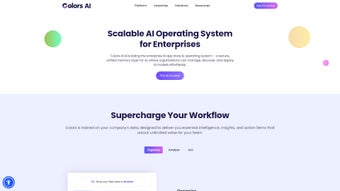

Download Colors AI – Customer Intelligence, Feedback Analysis, AI‑Powered Insights
Overview of Colors AI
In today’s hyper‑competitive market, understanding what customers truly think is the difference between growth and stagnation. Colors AI positions itself as a cutting‑edge customer intelligence platform that transforms raw, unstructured feedback into actionable insight. By aggregating data from multiple touchpoints—support tickets, social media, surveys, and in‑app messages—the platform builds a 360° view of customer sentiment.
This holistic approach enables product managers, marketers, and support teams to pinpoint the exact features or pain points that matter most, thereby prioritizing development work before churn becomes a problem. Colors AI’s AI‑driven trend analysis goes beyond simple keyword counting; it detects emerging patterns, sentiment shifts, and hidden opportunities that manual analysis would miss. Integrated seamlessly with popular tools like Zendesk, Slack, and HubSpot, the platform fits naturally into existing workflows, ensuring that insights are delivered exactly where teams collaborate.
Whether you’re a startup looking for a free tier to test the waters or an enterprise needing high‑volume analysis, Colors AI offers scalable pricing plans and pre‑designed templates that reduce the learning curve. The solution also includes built‑in compliance features such as GDPR‑ready data handling, role‑based access control, and SOC 2 Type II certification, making it a safe choice for regulated industries. In short, it’s a powerful, secure, and easy‑to‑use solution for any business that wants to turn customer voices into revenue‑driving decisions while maintaining strict data‑privacy standards.
Key Features that Power Data‑Driven Decisions
- Multi‑Channel Aggregation: Pulls feedback from Zendesk, Slack, HubSpot, email, web forms, and social platforms into a single repository.
- AI‑Enhanced Sentiment Analysis: Uses natural language processing to detect tone, intent, and urgency, delivering scores that are easy to compare across segments.
- Dynamic Trend Detection: Identifies emerging topics, spikes in dissatisfaction, and seasonal patterns before they impact churn.
- Pre‑Designed Insight Templates: Ready‑made dashboards for product road‑mapping, NPS tracking, and support ticket triage that can be customized in minutes.
- Real‑Time Alerts & Slack Integration: Pushes critical insights directly to your preferred communication channels, ensuring the right people act instantly.
- Role‑Based Access Control: Guarantees that sensitive customer data is only visible to authorized team members, meeting GDPR and CCPA compliance.
- Scalable Pricing Tiers: From a free plan that handles up to 2,000 interactions per month to an enterprise tier with unlimited volume, API access, and dedicated support.
- Secure Data Handling: End‑to‑end encryption, SOC 2 Type II certification, and regular security audits keep your data safe.
Each feature is built with usability in mind. For example, the sentiment dashboard provides a color‑coded heat map that instantly shows which product areas are delighting or frustrating users. The AI engine continuously retrains on your specific vocabulary, reducing false positives over time.
Moreover, the platform’s API allows developers to embed insights directly into internal tools or customer‑facing portals, creating a feedback loop that feels native to the workflow. By combining powerful analytics with intuitive visualizations, Colors AI removes the technical barrier that traditionally separates data science teams from product and support squads. This democratization of insight ensures that every stakeholder—from CEOs to front‑line agents—can make informed, revenue‑focused decisions based on the same trustworthy data set.
Installation & Usage: From Download to First Insight
Getting started with Colors AI is designed to be frictionless. After you download the installer (available for Windows, macOS, and Linux), the setup wizard walks you through three essential steps: account creation, data source connection, and dashboard configuration. The cloud‑based version eliminates the need for on‑premise servers; simply sign up, verify your email, and you’re ready to import data.
Step‑by‑Step Setup
- Create Your Workspace: Choose a workspace name that reflects your team or product line. This workspace becomes the container for all imported feedback and analytics.
- Connect Data Sources: Use the “Integrations” tab to authenticate with Zendesk, Slack, HubSpot, or any other supported platform. OAuth 2.0 ensures a secure handshake without storing passwords.
- Map Feedback Fields: Define which fields (e.g., ticket subject, comment body, rating) should be parsed. Colors AI’s auto‑mapper suggests common mappings, which you can fine‑tune.
- Configure Alerts: Set thresholds for sentiment drops or volume spikes. Alerts can be sent via email, Slack, or Microsoft Teams.
- Select a Template: Pick from “Product Roadmap,” “Support Health,” or “Customer Loyalty” templates to instantly generate visual dashboards.
Once the initial configuration is complete, the platform begins processing incoming data in real time. Within minutes, you’ll see a live sentiment score, top‑mentioned topics, and a list of “actionable insights” that prioritize feedback based on impact and frequency. The UI is built with a responsive design, meaning you can monitor insights on a desktop, tablet, or smartphone without losing functionality. For power users, the built‑in query builder lets you create custom filters—such as “negative tickets from enterprise customers in the last 30 days”—and save them for recurring reports.
Ongoing usage is straightforward: the “Insights” tab refreshes automatically, while the “Export” button lets you download raw data or visualizations in CSV, PDF, or PNG formats. For teams that require deeper integration, the RESTful API provides endpoints for fetching sentiment scores, trend data, and even raw feedback, enabling you to embed these metrics into internal dashboards like Power BI or Tableau. The combination of an intuitive UI, robust API, and automated data pipelines ensures that you spend more time acting on insights and less time wrestling with data preparation.
Compatibility and System Requirements
Colors AI is a cloud‑native SaaS solution, which means you can access the full feature set from any modern web browser—Chrome, Edge, Firefox, or Safari—on Windows 10/11, macOS 10.15 and later, and most Linux distributions. For organizations that prefer an on‑premise deployment, Colors AI offers a Docker‑based installer that runs on any OS supporting Docker Engine 20.10+.
Minimum hardware requirements for the on‑premise version are modest: a dual‑core CPU, 8 GB RAM, and 50 GB of SSD storage for a medium‑size deployment (up to 500,000 feedback records per month). The platform leverages PostgreSQL for data storage and can be scaled horizontally by adding additional worker nodes for high‑throughput environments. Network requirements include outbound HTTPS (port 443) for API calls to integrated services (Zendesk, Slack, HubSpot) and inbound ports 80/443 for user access.
Mobile users are not left out. Colors AI offers native iOS and Android apps that provide push notifications for critical alerts and a lightweight view of the most recent insights. The mobile apps sync securely with the cloud backend, ensuring that data remains consistent across devices. Whether your team works from a corporate office, remote home offices, or on the go, the platform’s cross‑platform compatibility guarantees that everyone can stay aligned on the same data set.
Security‑focused organizations will appreciate that Colors AI complies with major standards such as ISO 27001, SOC 2 Type II, GDPR, and CCPA. All data in transit is encrypted with TLS 1.3, while at‑rest encryption uses AES‑256. Role‑based access control (RBAC) lets administrators define granular permissions for viewers, analysts, and administrators, ensuring that sensitive customer information is only visible to authorized personnel.
Pros, Cons, Frequently Asked Questions, and Final Thoughts
Pros
- Comprehensive multi‑channel data aggregation reduces silos.
- AI‑driven sentiment and trend analysis provides deeper insights than keyword counting.
- Pre‑designed templates accelerate time‑to‑value for non‑technical users.
- Robust security and compliance features protect sensitive customer data.
- Scalable pricing plans accommodate startups to enterprise‑level volumes.
Cons
- Advanced custom reporting may require learning the query builder.
- On‑premise deployment adds complexity compared to the pure SaaS model.
- Higher‑tier plans are priced at a premium for organizations with massive data volumes.
Frequently Asked Questions
Is there a free trial available for Colors AI?
Yes, Colors AI offers a 14‑day free trial with full access to all core features, allowing you to test data aggregation, sentiment analysis, and dashboard templates before committing to a paid plan.
Can Colors AI integrate with my existing CRM besides HubSpot?
Absolutely. In addition to HubSpot, Colors AI provides native connectors for Salesforce, Microsoft Dynamics, and custom REST APIs, enabling you to pull feedback from virtually any CRM system.
How does Colors AI ensure data privacy under GDPR?
Colors AI stores all personal data within EU‑based data centers for EU customers, offers data‑subject request tools, and provides the ability to anonymize or purge data on demand to meet GDPR requirements.
What kind of support is included with the enterprise plan?
Enterprise customers receive a dedicated account manager, 24/7 priority support, on‑site training options, and a Service Level Agreement (SLA) guaranteeing 99.9% uptime.
Can I export raw feedback data for offline analysis?
Yes, the platform supports CSV, JSON, and Excel exports for both raw feedback and processed insights, allowing you to conduct further analysis in tools like R or Python.
Conclusion & Call to Action
Colors AI delivers a compelling blend of AI‑powered analytics, seamless integrations, and user‑friendly dashboards that empower businesses to listen, learn, and act on customer feedback faster than ever before. While the learning curve for advanced reporting may require a brief investment of time, the overall payoff—higher retention, more focused product development, and measurable revenue growth—far outweighs the effort. If you’re looking to turn scattered comments into a strategic asset, download Colors AI today and start your free trial. Experience firsthand how a data‑driven feedback loop can accelerate product innovation and keep your customers delighted.
Colors AI stands out in the crowded customer intelligence market thanks to its robust AI engine, easy integration, and thoughtful UX. The platform excels at turning noisy, unstructured feedback into clear, actionable insights that directly influence product roadmaps. While the pricing for high‑volume users can be steep, the value delivered through churn reduction and feature prioritization justifies the cost for most growth‑stage companies.



.png)



